Kids Learn to Sort
- 3.9
- Rating
- 10.00K
- Installs
- $2.99
- Price

 Analysis by App-foxy
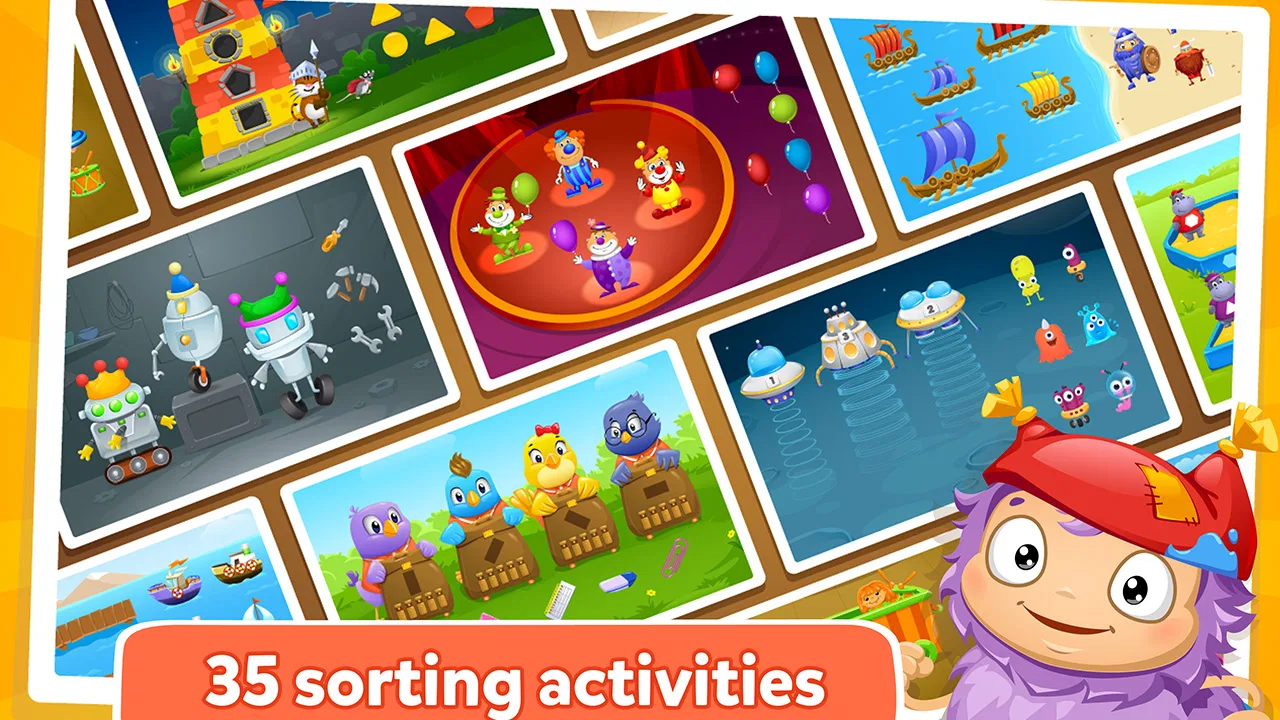
Sorting looks simple to an adult, but for a preschooler it is a useful first step toward recognizing differences, grouping objects, and following a rule. I spent time with Kids Learn to Sort as an educational game for young children, and my overall impression is that it works best as a focused practice tool rather than an all-purpose preschool package. It keeps the idea narrow: the child looks at items, decides where they belong, and learns through repeated choices.
That narrow purpose is also its appeal. A child who is beginning to notice colors, shapes, sizes, or categories can use the game without having to understand a complicated menu or a long story. I would recommend it to a parent who wants a short, calm activity that supports early thinking skills. I would not choose it as the only learning app on a device, especially for a child who needs constant novelty or more varied language and number activities.
How the sorting practice feels in everyday use
The game comes from Intellijoy Educational Games for Kids, a developer known for preschool-focused learning software. It is listed as an educational game for Everyone, and the intended audience is clear from the design goal: this is for children who are still building basic classification skills, not for older students looking for a challenge.
You May Also Like

 Pandora - Music & Podcasts
Pandora’s Music Is Easy to Start, but Harder to Recover
Pandora’s strength is its low-effort path from a seed to a station. Its weak spot is how much confidence it asks you to place in connection, setup, and quiet recovery.

 8 Ball Pool
 Is Built on Rivalries, Rematches, and Routine
A close look at the rivalries, rematches, shared routines, and unanswered safety questions that turn a quick pool match into a persistent mobile community.

 Samsung Music
’s Quiet Strength Is Playing What You Already Own
Its reach comes less from spectacle than from dependable access to a personal library. That simplicity is both the app’s strongest retention engine and its ceiling.

 AccuWeather: Weather Radar
AccuWeather Review: A Quick, Clear Forecast for Everyday Decisions
For everyday plans, the best forecast is the one you can understand quickly. AccuWeather makes rain timing, radar, and local conditions easy to act on, with a few trade-offs.

 Hill Climb Racing
Why Hill Climb Racing Still Turns Crashes Into One More Run
A tiny car, a bumpy hill and one more upgrade: Hill Climb Racing keeps resurfacing because its simple chaos makes every near-miss feel personal.

 AliExpress - Shopping App
AliExpress Makes Global Shopping Feel Personal, but Shoppers Bear the Risk
AliExpress turns a global marketplace into a pocket-sized discovery engine. Its reach is useful, its shopping loop compelling, and its trade-offs easy to miss.
More From Our News Desk
View All News


In practical terms, the best use is a short session alongside ordinary play. For example, after a child has sorted toy cars from building blocks, a parent can open the game and ask the child to explain why two items belong together. That small conversation is more valuable than simply letting the child tap through tasks. The app gives the child a visual exercise, while the adult can connect it to real objects around the home.
The strongest learning value comes when the child explains the rule, not merely when the answer is correct. If the child groups items by color, ask whether the same objects could be grouped by shape. If the child hesitates, avoid immediately taking over. A pause gives the child time to compare the choices and develop a habit of looking for the relevant property.
I also found that this kind of app is easier to introduce when the child is already in a quiet mood. It is not the sort of activity I would use to settle a child who is overtired or frustrated. Sorting requires attention, and a tired preschooler may tap randomly even when the concept is understood.
What to expect from the pace
The experience is built around a straightforward preschool task, so I would expect it to feel lighter and more direct than a large animated learning suite. There is less conceptual overhead for a child: the point is to inspect the objects and make a choice. That makes it suitable for a quick activity before dinner, during a waiting period, or as a change from physical toys.
Parents should still keep expectations realistic. A simple sorting game does not automatically hold every child’s attention for a long stretch. Some children enjoy repeating the same kind of challenge because they like mastering a pattern. Others will want stories, music, drawing, or free-form play after a few rounds. In my view, that is not a flaw so much as a sign that the app has a specific job.
The current version is 1.5.2, and the game was released on December 16, 2016. Those details matter when setting expectations: this is an established, focused preschool title rather than a newly designed platform built around current trends in interactive learning. I would approach it for its core sorting practice, not for a constantly changing content library.
Where heavier use can expose its limits
A single child using the game briefly is the most natural scenario. Heavier use changes the question. If several children share one device, the app may become less convenient because each child needs a turn and the activity is centered on one skill. It is not an ideal substitute for a classroom station with several types of manipulatives available at once.
For a parent, the most productive routine is to use it in small blocks and then move away from the screen. After a session, place three or four household objects on a table and invite the child to make a new group. This prevents the digital exercise from becoming an isolated tapping habit. It also reveals whether the child understands the idea or is simply remembering a familiar visual arrangement.
Another useful approach is to change the adult’s role depending on the child’s ability. At first, I would name the possible properties: “Are we looking at color, shape, or something else?” Once the child becomes comfortable, I would stop giving hints and ask for an explanation afterward. This turns the same activity into a gentle progression without pretending that the app itself is a full lesson plan.
The trade-off is repetition. Repetition can reinforce recognition, but too much of it may make the activity feel predictable. If a child starts rushing, guessing, or asking to leave, I would stop rather than treat persistence as a measure of learning. A short successful session is more useful than a long session that ends in frustration.
Stability and the parent’s recovery plan
I prefer children’s apps that let an adult recover calmly from interruptions, because preschool use rarely happens in perfect conditions. A child may hand over the device, lock the screen, move to another activity, or accidentally leave the game. With a focused title like this, returning to the same basic task should be easier than recovering inside a complicated adventure or story-driven app.
That said, I would not make assumptions about every device or operating-system combination. The minimum operating-system requirement is 7.1, so compatibility should be checked before installing, particularly on an older phone or tablet. A device that technically meets the requirement may still be less pleasant if its screen is small, its touch response is inconsistent, or it is shared with demanding applications.
My practical advice is to test the game yourself before handing it to a child. Check that the controls respond comfortably, that the display is easy to see, and that the child can return to the activity without needing help at every step. This is not about turning a preschool game into a technical project; it is about removing preventable interruptions from a learning moment.
Recovery also depends on the adult keeping the session simple. If the child loses interest, do not frame restarting as a failure. Put the device away and revisit the concept with physical objects. If the child becomes stuck, demonstrate one example and then let the child try again. The game is most useful when it supports a relaxed learning rhythm rather than becoming a test.
Device demands and household fit
Because the game concentrates on sorting instead of presenting a broad multimedia curriculum, I would expect its resource demands to be more modest than those of a large preschool suite filled with extended video, elaborate scenes, or many simultaneous activities. Even so, the real experience depends on the device. A tablet with a comfortable screen is usually a better shared learning surface than a small phone, especially when two people are looking at the same task.
Screen size affects more than comfort. A parent may want to point at two objects and compare them with the child. On a cramped display, that shared discussion becomes awkward, and the child may focus more on tapping than observing. A larger screen can make the activity feel collaborative, although it also makes the device less convenient to carry around.
I would also reserve some storage and attention for the child’s broader device environment. The game itself is priced at $2.99, which places it in the paid-app category rather than the free-to-try category. That can be a positive choice for families who prefer a direct purchase, but it also means the app needs to earn its place through regular use. If your child rarely enjoys classification activities, a free alternative using household objects may provide better value.
The age rating of Everyone is reassuring for a family looking for a preschool-appropriate title, but an age label does not tell you whether the learning level matches a particular child. One preschooler may find the tasks comfortably accessible, while another may need more verbal support or may already be ready for a broader challenge. I would judge the fit by the child’s behavior: can they observe, choose, and explain, or are they merely tapping?
How it compares with common alternatives
The usual alternatives fall into two groups. The first is physical sorting with buttons, blocks, socks, toy animals, or kitchen items. Physical materials win for hands-on learning because the child can move objects, feel differences, and invent new rules. They also make it easy to involve siblings or parents. The app wins when you need a ready-made activity with no setup and want the child to practice independently for a short time.
The second group is a broad preschool app that combines letters, numbers, puzzles, songs, drawing, and stories. Those packages offer more variety and may be a better purchase for a family seeking one central learning app. However, variety can also dilute attention. If the immediate goal is sorting, a dedicated game may be easier for a child to understand than a large menu of unrelated lessons.
I would choose this title over a general preschool collection when the child is specifically working on grouping and comparing. I would choose the broader collection when the child quickly loses interest in one type of task or when the family wants progress across several early-learning areas. I would choose physical play first when an adult has time to guide the activity and the child benefits from movement.
The rating is 3.9 from around 100 ratings, with three written reviews, and the game has passed 10 thousand installs. Those figures suggest that it has found a modest audience, but they do not tell me whether it will suit every preschooler. I would treat the reviews as a reason to inspect the app’s fit carefully rather than as a substitute for observing your own child.
Who will get the most from it
This game is a good match for a child who enjoys clear rules, visual comparisons, and repeating an activity until it feels familiar. It may also help a parent who wants a quiet digital prompt for practicing classification without introducing a complicated fictional world. Children who are beginning to sort toys by color or size are the most obvious audience.
It can be useful for a child who needs a bridge between free play and more structured learning. Start with one short session, sit nearby, and ask the child to describe the grouping. If the child can transfer the idea to objects outside the screen, the app is doing something worthwhile. If the child only succeeds after repeated hints, continue using real objects alongside it rather than assuming the digital result shows mastery.
I would skip it if you are looking for phonics, counting, handwriting, storytelling, or a large collection of varied mini-games. I would also skip it for a child who rejects repetition or needs a highly social activity. The paid price is harder to justify when the app’s single purpose does not match your child’s current interests.
For families with older preschoolers who already sort confidently, the challenge may feel too limited. In that situation, a more open-ended puzzle or a real-world activity that asks the child to invent several classification rules could offer more growth. The app is better viewed as targeted practice than as a complete measure of reasoning ability.
My verdict after weighing usefulness against limits
Kids Learn to Sort earns my recommendation as a small, focused educational game, provided you want sorting practice specifically. Its strength is clarity: the child can concentrate on comparing and grouping instead of navigating a crowded learning universe. Its weakness is the same narrow focus. Once the child has mastered the basic idea or starts asking for more variety, the app should be supplemented or replaced by broader activities.
For the best results, use it on a compatible device with a screen that lets an adult and child look together. Keep sessions short, ask the child to explain the rule, and follow digital practice with real objects. That workflow gives the game a role in learning rather than making it the entire lesson.
My final judgment is that the $2.99 purchase makes sense for families who value a dedicated sorting activity and expect to return to it regularly. It is less compelling as an impulse download for a child who needs entertainment, extensive content, or many different skills in one place. In the right home, it is a practical little tool: not flashy, not comprehensive, but capable of turning a basic preschool concept into a repeatable exercise.
FAQs for Kids Learn to Sort
01What is Kids Learn to Sort, and what skills does it help children develop?
Kids Learn to Sort is an educational game designed to introduce young children to basic classification and sorting concepts through simple, interactive activities. Children may sort objects by attributes such as color, shape, size, or type. Along the way, the app can support early logical thinking, visual recognition, concentration, hand-eye coordination, and problem-solving skills in a playful format.
02What age group is Kids Learn to Sort suitable for?
The app is mainly intended for preschool and early-learning children who are beginning to recognize differences and similarities between objects. The exact difficulty may vary depending on the activity, but younger children may benefit from playing with an adult nearby, especially during their first sessions. Parents should check the store listing for the developer’s recommended age range and educational guidance.
03Does Kids Learn to Sort require an internet connection to play?
Many basic educational games can be used offline after installation, which is convenient for travel or situations without reliable Wi-Fi. However, internet access may still be required for the initial download, updates, advertising, analytics, or links to external content. Before relying on offline play, open the app in airplane mode and confirm that the activities remain available on your device.
04Is Kids Learn to Sort safe for children, and does it contain advertisements or in-app purchases?
Parents should review the app’s store information and privacy details before allowing independent use. Depending on the version and platform, the app may include advertisements, optional purchases, or buttons leading outside the game. Use parental controls, disable unauthorized purchases, and supervise younger children when necessary. A child-friendly interface does not always guarantee that every external feature is restricted.
05Can parents use Kids Learn to Sort as part of early learning at home?
Yes, the app can be useful as a short supplementary activity for practicing early classification skills at home. To make the experience more effective, parents can ask children why an object belongs in a particular group and then repeat the concept using household items, toys, or food. It should complement hands-on play, conversation, and other learning activities rather than replace them.
Pros
- Simple sorting activities are easy for preschoolers to understand.
- Bright visuals help maintain children’s attention during short play sessions.
- Works well for practicing colors
- shapes
- sizes
- and basic categorization.
- Child-friendly controls require little reading or adult assistance.
- Short levels make it suitable for quick learning sessions.
Cons
- Limited variety may make the game feel repetitive over time.
- Some children may outgrow the difficulty level quickly.
- Learning content focuses mainly on early sorting concepts.
- Progress tracking and detailed parental reports may be limited.
- Ads or in-app purchases may affect the experience
- depending on the version.

Kids Learn to Sort
Gallery